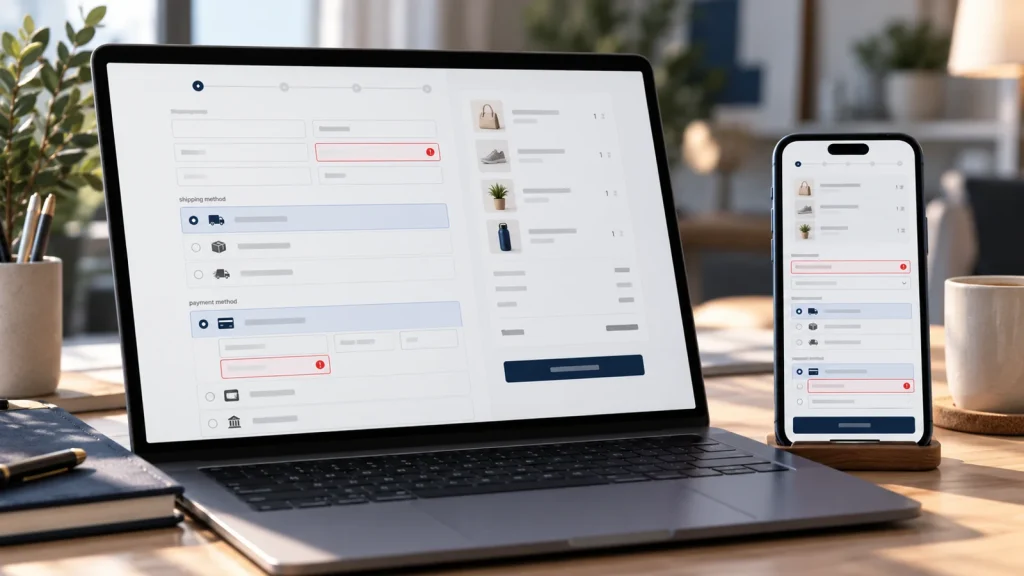
Getting traffic to an ecommerce website is expensive.
You may invest in SEO, social media, paid advertising, photography and promotions to bring shoppers to your products.
Then someone adds an item to the cart, reaches checkout — and leaves.
At that point, the problem may no longer be marketing.
It may be the store itself.
Recent WooCommerce and Stripe research involving more than 1,400 shoppers found that 75% of respondents had abandoned a cart. Among those who had abandoned, 63% cited checkout or payment issues. Failed transactions, excessive steps and missing preferred payment methods were among the reasons identified.
Separate Baymard research also identifies high additional costs, slow delivery, lack of trust, forced account creation, complicated checkout and website errors among major avoidable reasons shoppers leave.
If you operate a WooCommerce store, these are not minor usability details.
They are revenue problems.
Here are nine checkout problems worth investigating.
Separate checkout friction from payment faults
An abandoned checkout and a failed payment are not the same diagnosis. Usability, validation, gateway configuration, provider availability and transaction declines can require different corrections.
- Reproduce the issue using the payment provider’s approved test mode.
- Review relevant error messages and logs without exposing customer or payment data.
- Check configuration and compatibility in a safe staging environment.
- Retest the complete cart, checkout, payment and order-notification journey.
The cited WooCommerce checkout study surveyed markets in North America, Europe and Asia-Pacific. Its findings are not a Nigeria-specific abandonment benchmark or evidence of Lumiverse client results. Use provider guidance, including Paystack’s system-error guidance, when diagnosing payment failures.
1. Unexpected shipping costs appear too late
A customer sees a product at an acceptable price.
They add it to the cart.
They proceed to checkout.
Only then do they discover a shipping fee that changes the economics of the purchase.
That surprise creates friction.
Baymard’s updated abandonment research identifies high extra costs — including shipping, taxes and fees — as the leading avoidable reason among shoppers who abandoned after excluding visitors who were simply browsing.
How to improve it
Make delivery expectations visible earlier.
Depending on your store, that may mean showing:
- estimated delivery pricing on product/cart pages;
- free-shipping thresholds;
- pickup options;
- location-based delivery information;
- delivery restrictions.
Do not promise a precise price before you have enough information to calculate it.
The goal is transparency.
2. Your shipping rules do not match the real business
WooCommerce can support straightforward shipping setups out of the box.
Real businesses are not always straightforward.
A merchant may charge differently depending on:
- state;
- city;
- LGA;
- product quantity;
- product weight;
- order value;
- fulfilment option;
- supported delivery area.
Trying to force complex business rules into an oversimplified shipping setup can produce incorrect prices or unavailable delivery options.
That can stop a purchase instantly.
When custom shipping logic makes sense
If your delivery process depends on business-specific rules, it may require custom WooCommerce development rather than another generic plugin.
In one Lumiverse ecommerce implementation, shipping requirements included quantity ranges and delivery coverage based on location, including state, LGA and supported towns/cities.
That type of requirement should be modelled around the actual fulfilment process rather than forcing the business to change its operations around a plugin.
Learn more about our E-Commerce & WooCommerce Development Services.
3. Payments fail even when the customer is willing to buy
A payment failure is one of the most frustrating ecommerce problems because the customer has already decided to purchase.
WooCommerce and Stripe’s 2026 research found failed transactions were the largest checkout-related abandonment reason in their survey, at 28% among the checkout/payment problems reported.
Not every failed transaction means the customer genuinely lacks funds.
Possible causes include:
- network timeouts;
- payment-provider issues;
- incorrect gateway configuration;
- authentication failures;
- webhook problems;
- checkout-session errors;
- plugin conflicts.
What store owners should monitor
Do not only monitor successful orders.
Review failed orders and gateway logs.
If customers repeatedly report failed payments, investigate the technical cause rather than assuming every failure is a declined card.
4. The checkout asks for too much information
Every unnecessary field creates another opportunity to leave.
Customers generally expect to provide enough information to:
identify themselves, pay and receive the order.
They may not understand why a simple purchase needs a long form containing information that has no obvious purpose.
WooCommerce/Stripe’s research found “too many steps” among the notable checkout-related abandonment reasons.
Review every field
Ask:
Do we need this information to complete the order?
If the answer is no, consider removing it or requesting it later.
A shorter checkout is not automatically better if it removes necessary information.
The goal is necessary friction only.
5. Mobile checkout is difficult to use
A checkout that works on desktop can still fail on a phone.
Common issues include:
- tiny fields;
- poorly spaced buttons;
- keyboard covering important controls;
- payment widgets overflowing;
- awkward dropdowns;
- slow loading;
- hard-to-read order summaries.
Test the complete purchase journey on real mobile widths.
Do not stop at checking whether the page technically “looks responsive.”
Attempt an actual purchase.
6. Customers cannot use the payment method they expect
Payment preference varies by geography, device, purchase type and customer.
WooCommerce and Stripe found that 21% of the shoppers in their study who cited checkout/payment problems mentioned an inability to use their preferred payment method.
That does not mean every store should install every available gateway.
More payment options can also create complexity.
Instead, understand your customers.
Ask:
- Which payment methods do they actually use?
- Are most customers local or international?
- Are they primarily mobile shoppers?
- Does the gateway support the currencies you need?
- How reliable is the payment experience?
Choose payment methods based on demand, not plugin count.
7. The website feels untrustworthy
People hesitate before entering payment information into a website they do not trust.
Trust is influenced by far more than security badges.
Customers notice:
- poor design;
- spelling errors;
- broken layouts;
- missing business information;
- unclear contact details;
- suspicious redirects;
- inconsistent branding;
- missing policies;
- insecure browser warnings.
Baymard’s research identifies lack of trust with credit-card information as a significant abandonment reason.
Build trust before checkout
A customer should understand who you are before being asked to pay.
Your ecommerce site should make contact information, delivery information and important policies reasonably easy to find.
A professional Web Design system supports conversion because credibility is part of the purchasing experience.
8. Customers are forced to create an account
Account creation can be useful for repeat customers.
It can also become a barrier for someone who simply wants to buy.
Baymard lists forced account creation among notable checkout-abandonment reasons.
Where appropriate, consider guest checkout.
You can still invite the customer to create an account after the purchase or provide an optional account pathway during checkout.
Evaluate this based on your business model.
Membership products and subscription services may genuinely require accounts.
A normal retail transaction may not.
9. The checkout is broken by plugin conflicts or poor maintenance
WooCommerce stores usually depend on several components operating together:
- WordPress;
- WooCommerce;
- theme;
- payment gateway;
- shipping configuration;
- caching;
- security tools;
- custom code;
- other plugins.
An update to one component can sometimes expose compatibility problems elsewhere.
This is why ecommerce maintenance should involve more than clicking “Update All.”
Important flows should be tested after significant changes.
That includes:
- add to cart;
- cart totals;
- coupons;
- checkout;
- shipping;
- payment;
- confirmation email;
- order creation.
For ongoing technical care, see our Website Maintenance Services.
How do you know where customers are abandoning?
Do not guess.
Start with data.
Useful sources may include:
- ecommerce analytics;
- checkout funnel reports;
- payment-gateway logs;
- WooCommerce failed orders;
- support messages;
- session recordings where legally and appropriately configured;
- customer feedback.
Look for patterns.
If people reach checkout but disappear when shipping is calculated, investigate shipping.
If orders are repeatedly created with failed-payment statuses, investigate payment processing.
If mobile abandonment is much higher, test mobile checkout closely.
Fix the largest verified problem first.
Should you install a cart-recovery plugin?
Cart recovery can be useful.
WooCommerce itself documents abandoned-cart recovery workflows designed to re-engage customers who have already demonstrated purchase intent.
But recovery should not become an excuse to ignore a broken checkout.
If customers leave because payments fail or shipping prices are wrong, sending more reminders does not solve the core problem.
Use recovery after improving the underlying purchasing experience.
What should a good WooCommerce checkout achieve?
A strong checkout should allow a qualified customer to understand:
- what they are buying;
- how much it costs;
- how it will be delivered;
- when it is likely to arrive;
- how they can pay;
- what information is required;
- whether they can trust the seller.
And then it should let them finish the purchase without unnecessary obstacles.
A practical WooCommerce checkout audit
Review your store from the customer’s perspective.
Test:
- product discovery;
- product page;
- add to cart;
- cart;
- shipping calculation;
- checkout form;
- payment;
- confirmation;
- transactional email.
Run the journey at desktop and mobile widths.
Use a real staging/test transaction where your payment provider allows it.
Do not rely exclusively on how the checkout looks inside the WordPress dashboard.
Where custom WooCommerce development becomes valuable
Plugins are useful when your requirements match what the plugin was designed to do.
Custom development becomes more appropriate when your business has rules that generic tools cannot model cleanly.
Examples include:
- complex delivery coverage;
- quantity-dependent shipping;
- custom checkout validation;
- specialised fulfilment;
- integrations with operational systems;
- bespoke product workflows.
The objective is not custom code for its own sake.
It is to make the technology support the actual business process.
Final takeaway
Cart abandonment will never reach zero.
Some visitors are comparing products, saving items for later or simply browsing.
But preventable abandonment is different.
If a shopper is ready to buy and your checkout surprises them with high costs, fails their payment, breaks on mobile or cannot calculate delivery correctly, your store is creating its own sales problem.
That is worth fixing.
Is your WooCommerce store losing customers at checkout?
Lumiverse Digital Innovations designs, develops and improves WooCommerce stores around real catalogue, payment, shipping and checkout requirements.
Explore our E-Commerce & WooCommerce Development Services, review our Case Studies, or start a project to discuss your store.